What's new

New in FileToText

What you can do now that you couldn't before, in plain language. Product updates only, no fluff.

August 16, 2026

Do more from your library
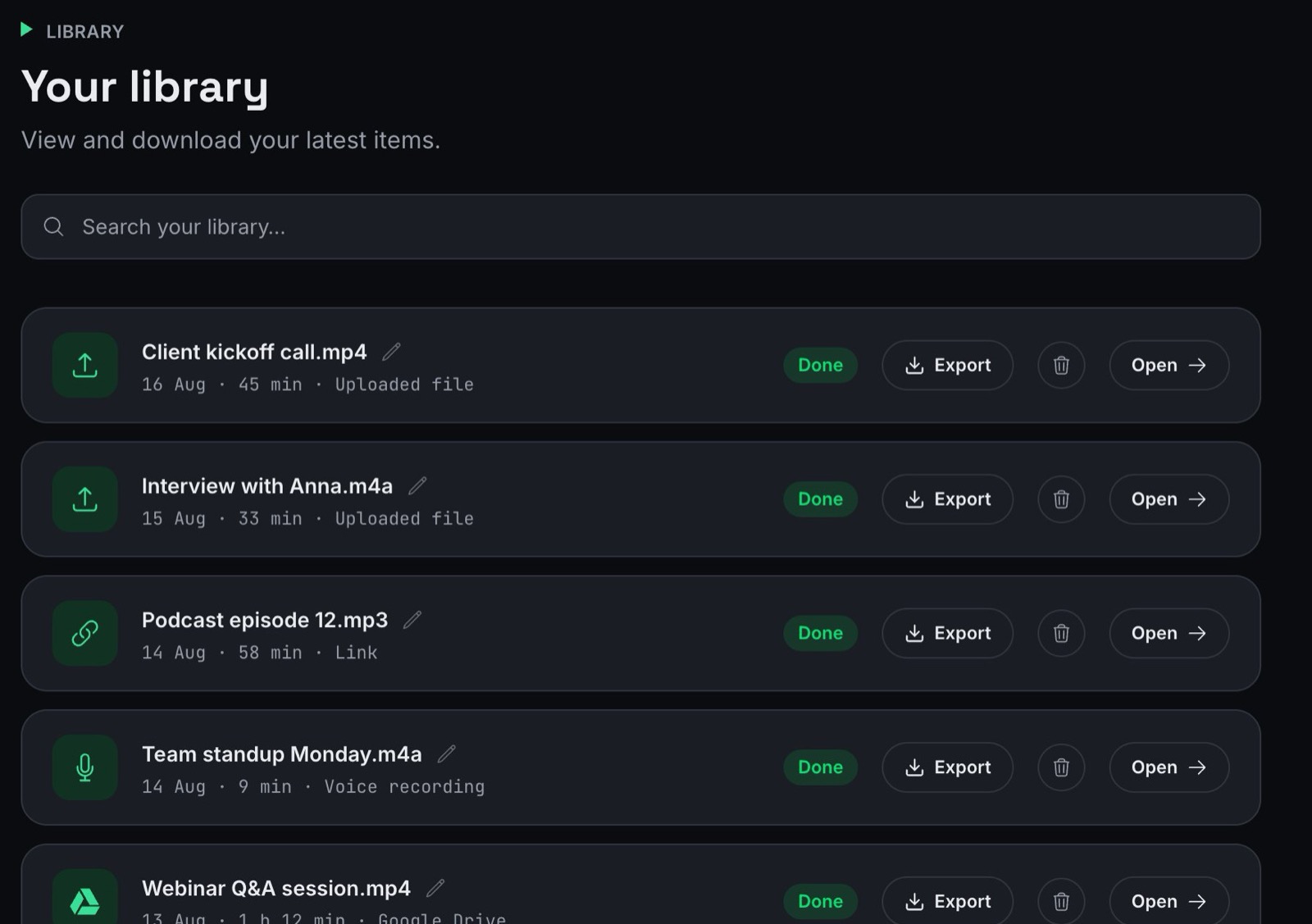
The FileToText library with search, rename, export and delete on every file

Your library now works like a file manager. Search your files, rename them, and delete the ones you no longer need. Deleting also removes the stored media from our servers.

You can download any transcript as TXT, DOCX, SRT or VTT straight from the list, without opening it first. Each file shows its date and length, so twins with the same name are easy to tell apart.
August 16, 2026

Upload up to 10 files at once

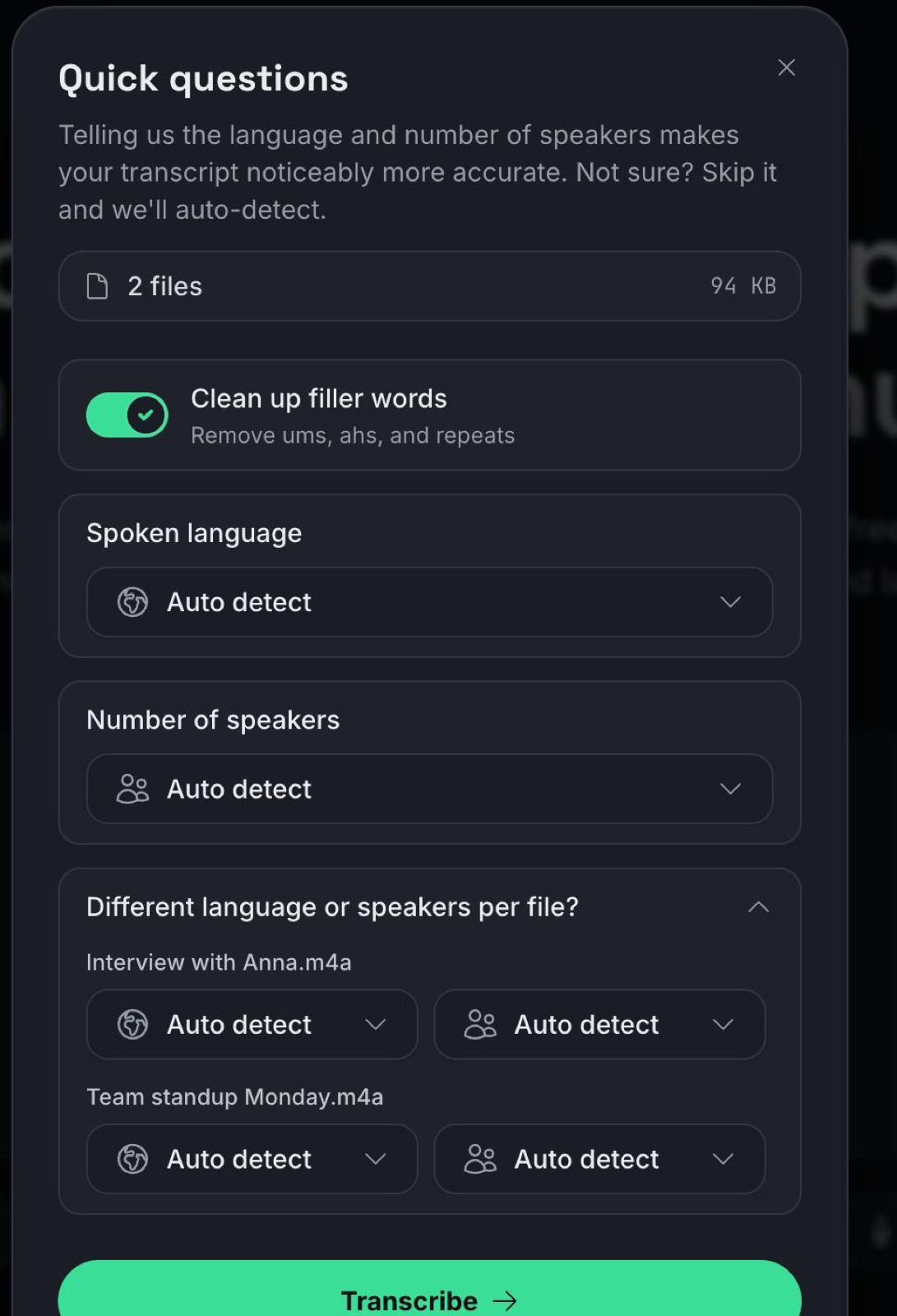
The upload options with a language and speaker count per file

Drop up to 10 files in one go. Each file starts transcribing the moment its upload finishes, so the first transcripts are ready while the rest still upload.

Each file can have its own language and number of speakers. Useful when one recording is Dutch and the next one is English.

August 14, 2026

Your corrections are saved to your account

When you fix a word or confirm one, we remember it. Open the same file on your laptop tomorrow and your corrections are right there.

If the same file is open in two places at once, we warn you before anything gets overwritten.

August 13, 2026

Fix your transcript right in the editor

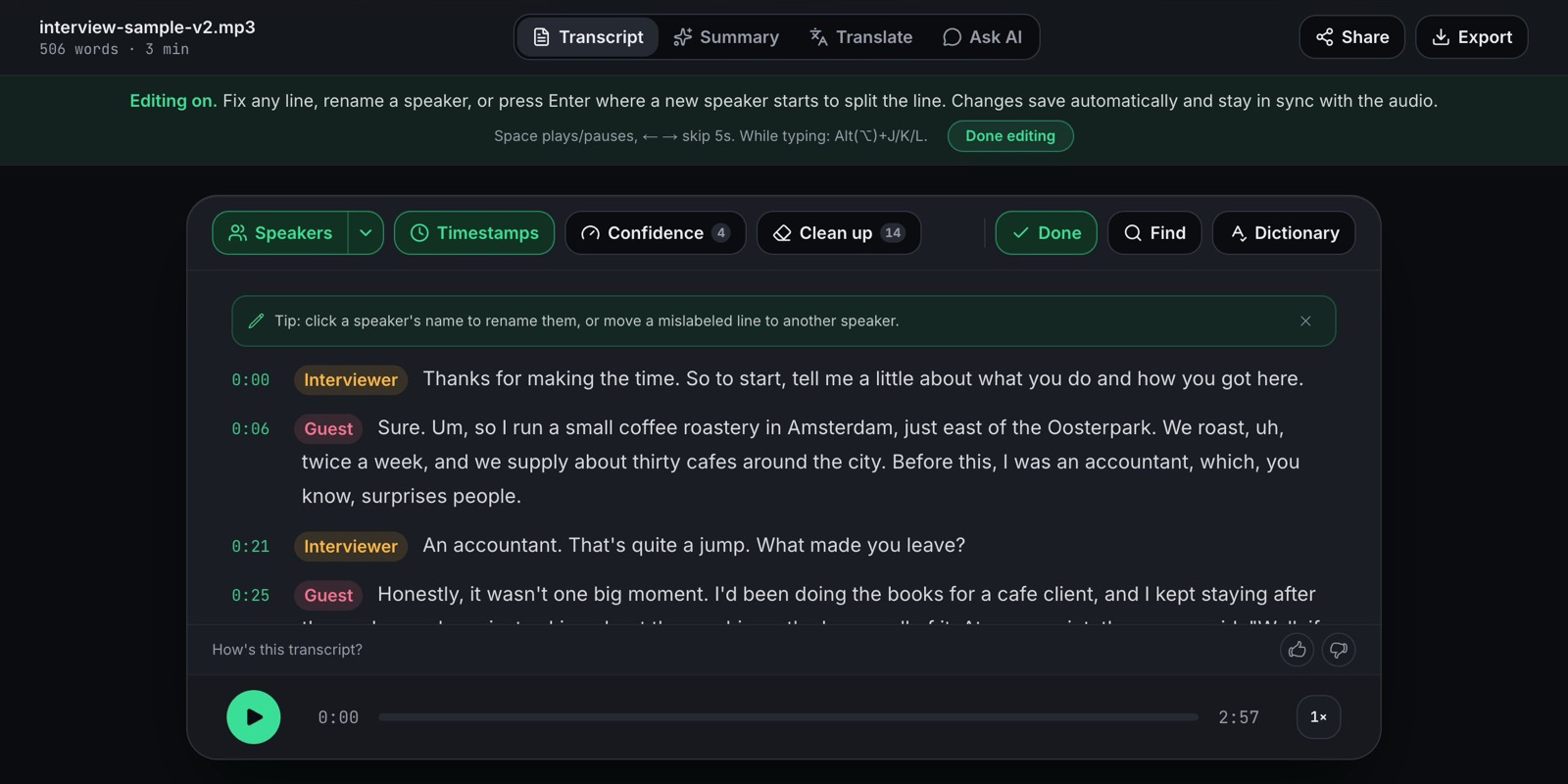
The transcript editor with editing on, speaker labels and the correction toolbar

Click any word to correct it. Rename speakers or move a mislabeled line to another speaker. Undo works like you expect, and find and replace fixes a name everywhere at once.

Words the AI was less sure about are underlined, so you know where to look first. Teach it names and jargon via the Dictionary and re-run the file for a sharper transcript.

Playback got keyboard shortcuts too: Space plays and pauses, J and L jump 5 seconds back and forward.

August 14, 2026

Ask AI answers you can take with you

Every Ask AI answer now has a copy button, so key points and action items paste cleanly into your notes or an email, bullets and timestamps included.

The summary shows its progress while it's being written instead of leaving you guessing.

Ready when you are

Your file has more to say than the folder it's sitting in.

Drop your fileTry the first 10 minutes free. Not satisfied? Full refund, no questions asked.